
Tools
Here are the physical and digital tools I love and use to create my visuals! From idea generation to the finished illustration.
Some links are affiliates – purchasing through them supports me at no extra cost to you 🙂 But most of the apps listed here are free!
Drawing Tools
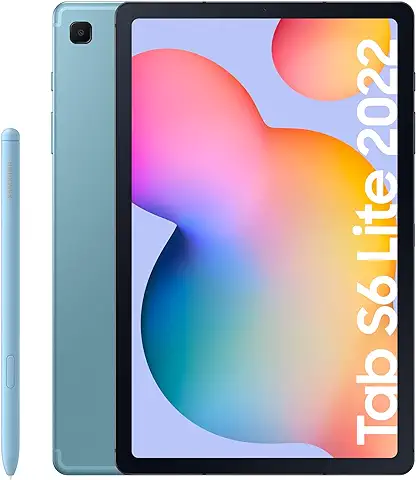
Samsung Galaxy S6 Tab Lite
TABLET
This is the tablet I use to create my visuals. Love it so far!

Concepts App
DRAWING APP | PRO VERSION
The app I use to create all my visuals!
Content Consumption

Snipd
PODCAST PLAYER | FREE VERSION
This is the app I use to listen to podcasts. You can snip quick notes directly in the app!

Omnivore
READ-IT LATER | FREE
This is a new one. I was searching for an alternative to Pocket and Instapaper and found this app. Perfect to read, highlight and take notes directly on articles.
Omnivore is free, open-source, and has a plugin to sync directly with Obsidian. I’ve been using it since December and I love it!
Fleeting Notes
NOTE-TAKING | FREE
This is my go-to app to take quick notes on an article, video or podcast on the go. This app has a plugin for Obsidian and the notes end up directly in my second brain!
Obsidian
NOTE-TAKING | FREE
I use Obsidian as my second-brain. All my note-taking ends up in there. This is where the magic happens! I’ve been using this app since it was released in 2019 and I just love it.
Organization

ToDoist
TO-DO LIST | FREE VERSION
I use ToDoist as my main to-do list. I use the free version which allows up to 5 different projects (and unlimited tasks).
What I love: how easy it is to use accros all my devices & the smart recognition of the dates. I can add a task in one-click.

Notion
PRODUCTIVITY | FREE
I use Notion to create all my systems and projects (content strategy, content calendar…). I’ve never used it to store personal or clients information as it’s not GDPR compliant.
I’m currently transitioning to Anytype (GDPR friendly!)

Anytype
PRODUCTIVITY | FREE
This app is the perfect mix between Obsidian and Notion! I’m currently switching form Notion to Anytype as it can be used locally.